This is a deep dive from our roundup of 25 AI prompts and workflows that speed up SEO turnaround time. Here we focus on the technical work AI is genuinely good at — because it’s structured, verifiable, and repeatable.
Technical SEO is where AI earns its keep, because the tasks have right answers. You can check whether the JSON-LD is valid, whether two URLs really compete, whether a draft passed a script. The four workflows below automate some of the most time-consuming technical jobs — and each one keeps a deterministic check in the loop.
Fix keyword cannibalization straight from GSC
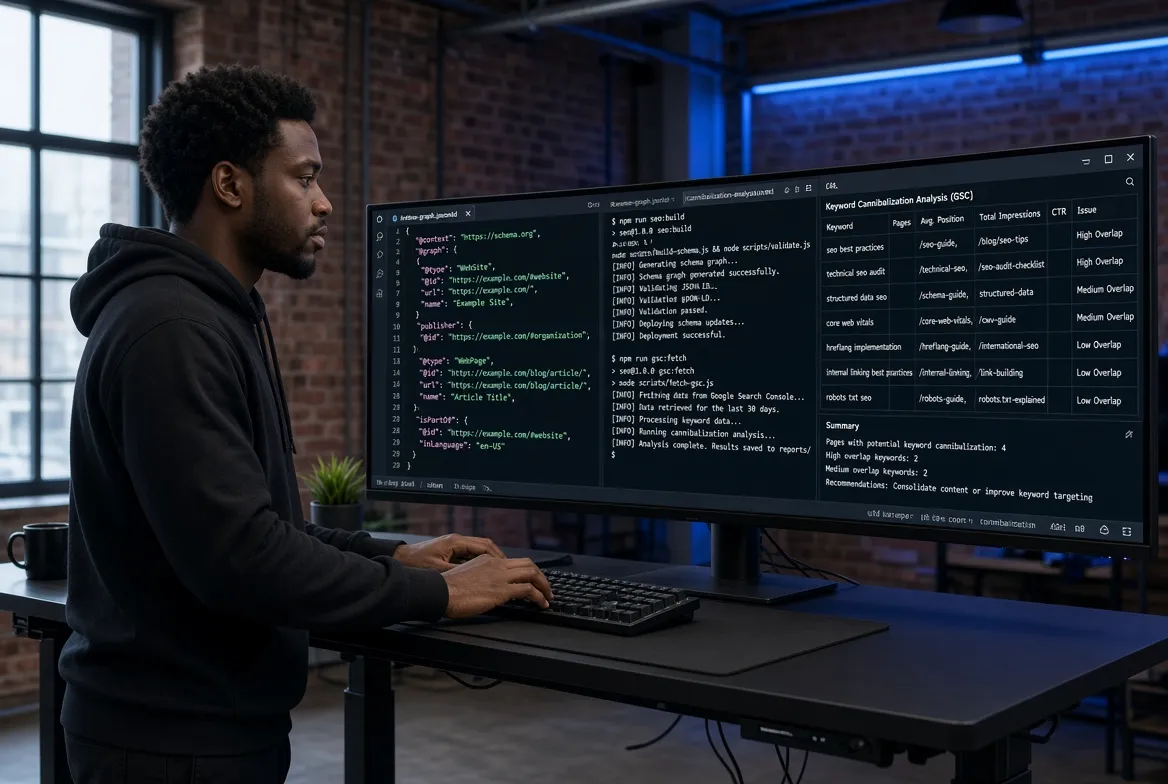
Keyword cannibalization — two or more of your pages competing for the same term and pulling each other down — normally takes hours of cross-referencing Google Search Console data in Excel. Saba Raheem’s workflow does it in under 10 minutes: export 3–6 months of query and page data as a CSV, upload it to ChatGPT (with Advanced Data Analysis) or Claude, and run:
“Act as a Lead Technical SEO Strategist. Analyse the attached GSC CSV for keyword cannibalisation. 1. Find queries where 2+ different URLs get clicks or impressions. 2. For each, identify the Primary Page (most clicks/impressions) and the Competing Page. 3. Recommend a specific fix — 301 Redirect (if the competing page is outdated), Canonical Tag (if both stay live), or Internal Link Fix (give the exact anchor text). Format the output as a clear table.”
Instead of just naming the problem, it hands you the fix — redirect, canonical, or the exact anchor text to add.

Generate one consolidated JSON-LD graph, not scattered blocks
Generic CMS schema plugins produce shallow, duplicated markup. Shreyas V Patil generates a single connected JSON-LD @graph per page so entities link back to a site-wide canonical @id. He pastes the page’s main text and uses a “Master Graph Prompt”:
“Generate a unified page-level JSON-LD script. Create a single JSON-LD block with a @graph array (not multiple script tags). Generate a WebPage node with @id ‘[Canonical URL]#webpage’, a Service or LocalBusiness node with @id ‘[Canonical URL]#service’, and an FAQPage node if there are Q&As in the text. Link all page-level entities back to the site-wide Organization @id. Strict JSON — no trailing commas, no smart quotes, no markdown outside the code block.”
The result feeds clean entity data to both local SERPs and AI search engines — the structured-data side of the answer-engine work.

Run your whole content process as a prompt pipeline in code
Sampsa Vainio moved his entire process into Claude Code, with every prompt saved as a file in the project instead of typed into a chat. A research command pulls live keyword volumes and SERP data via the DataForSEO and Ahrefs APIs; a write command drafts against that brief; a publish command commits the finished article into his static site’s git repo, which auto-deploys.
Two things make it robust. First, because each command file lives in git, a bad draft means he fixes the prompt file once and that failure mode is gone for good. Second, nothing ships on vibes — every draft has to pass deterministic scripts first (an invisible-Unicode-watermark scrub and an AI-detection scan). The agent writes; code decides what’s allowed through. A research-backed article went from two days to about two hours.

Connect MCP servers so research lives in the chat
Yevhen Koplyk connects the official Ahrefs, GA4, and Google Ads MCP servers directly to Claude or ChatGPT, so keyword research, analytics, and competitor analysis all happen in the chat instead of across a dozen tabs. It isn’t fully automated, but it surfaces insights he’d otherwise miss and speeds up both client research and proposals.

The takeaway
The reason these technical workflows work where AI content often fails is that every one keeps a verifiable check in the loop — a valid-JSON constraint, a deterministic detection script, a GSC dataset that either shows overlap or doesn’t. Automate the tedious retrieval and formatting; let code, not vibes, decide what passes.
Worth splitting later: “keyword cannibalization” and “schema markup generator” each carry strong standalone search demand. Once this page is established, both are strong candidates to spin off into their own dedicated guides.
Read the full collection: 25 AI Prompts and Workflows That Speed Up SEO Turnaround Time »
Related deep dives: Answer Engine Optimization · Content QA & link building
Need your technical SEO automated properly? Talk to Salam Experts »