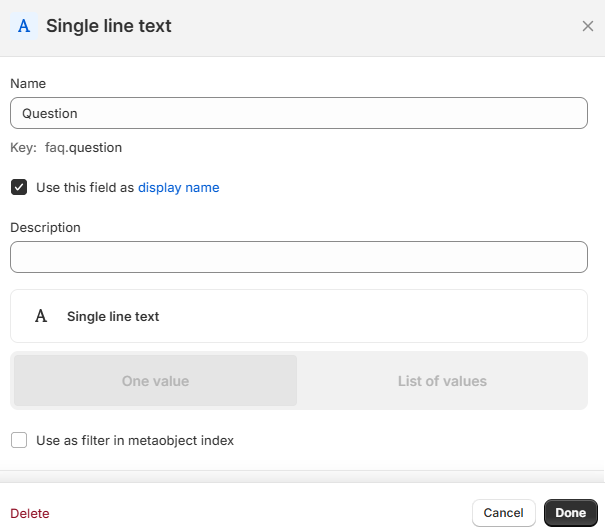
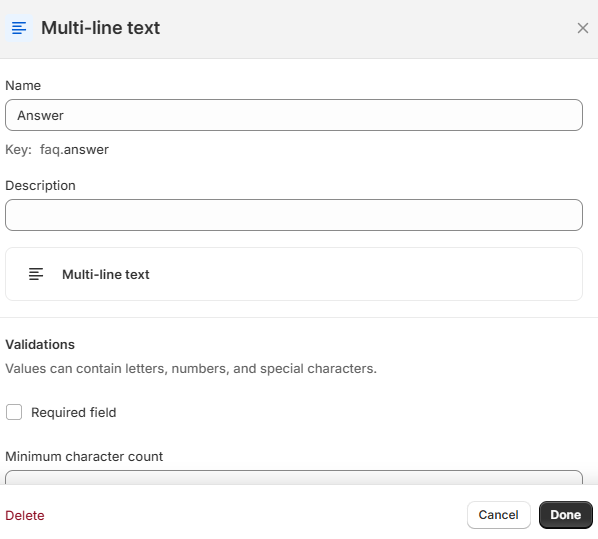
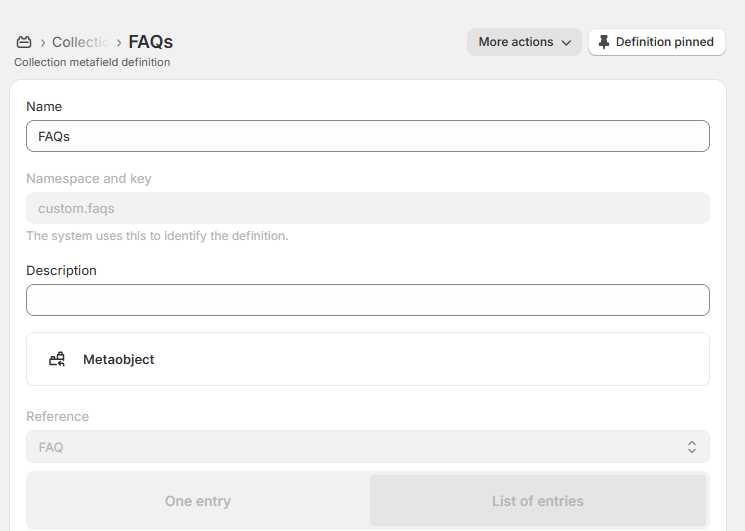
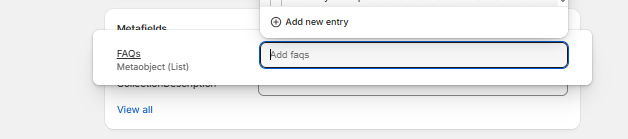
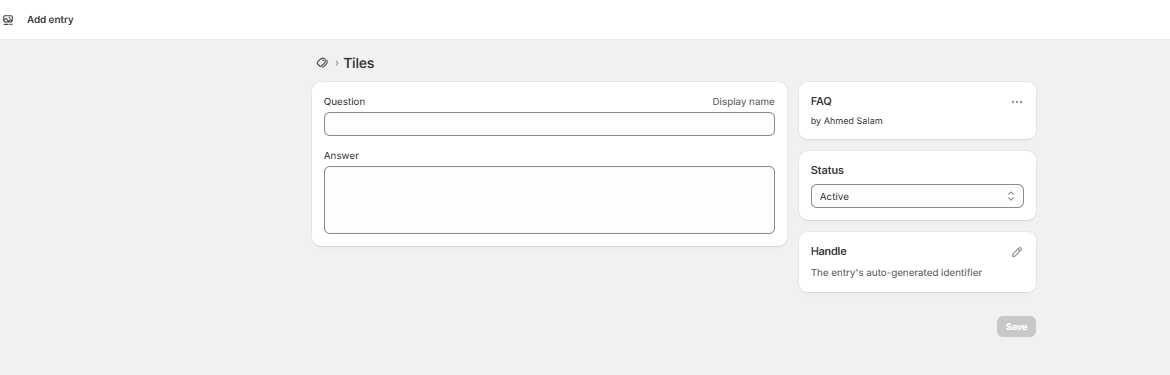
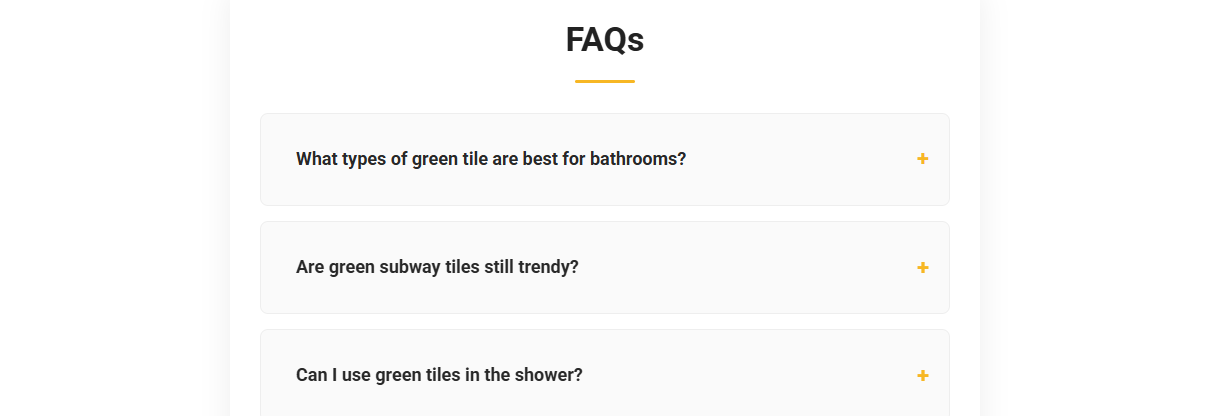
Looking to display different FAQs at the bottom of each collection page on your Shopify store. without hiring a developer or editing code each time? Good news: Shopify’s Metaobjects make this easier than ever and you only have to set it up once!
In this tutorial, we’ll show you how to:
Let’s dive in 👇
Metaobjects let you build reusable blocks of custom content like FAQs and assign them to individual products, collections, or pages. That means:
✅ This allows you to assign multiple FAQ entries to each collection.
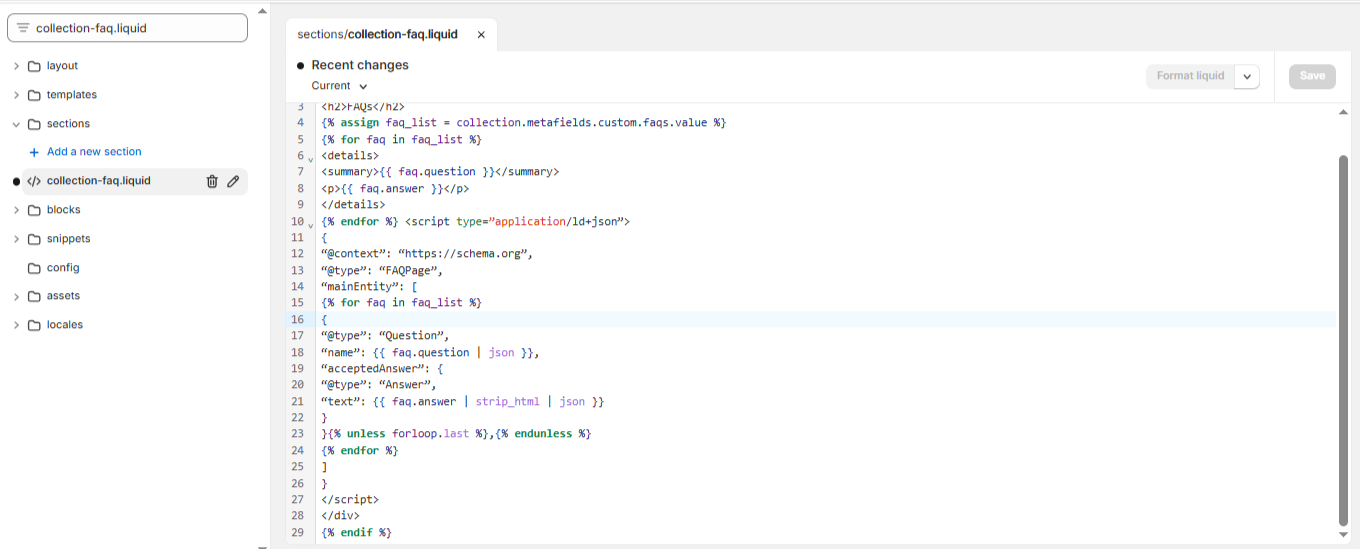
{% if collection.metafields.custom.faqs.value != blank %}
<div class=”collection-faq”>
<h2>FAQs</h2>
{% assign faq_list = collection.metafields.custom.faqs.value %}
{% for faq in faq_list %}
<details>
<summary>{{ faq.question }}</summary>
<p>{{ faq.answer }}</p>
</details>
{% endfor %} <script type=”application/ld+json”>
{
“@context”: “https://schema.org”,
“@type”: “FAQPage”,
“mainEntity”: [
{% for faq in faq_list %}
{
“@type”: “Question”,
“name”: {{ faq.question | json }},
“acceptedAnswer”: {
“@type”: “Answer”,
“text”: {{ faq.answer | strip_html | json }}
}
}{% unless forloop.last %},{% endunless %}
{% endfor %}
]
}
</script>
</div>
{% endif %}
.collection-faq {
margin-top: 40px;
padding: 30px;
background-color: #f8f9fa;
border-radius: 12px;
}
.collection-faq h2 {
font-size: 28px;
margin-bottom: 20px;
font-weight: 700;
}
.collection-faq details {
margin-bottom: 15px;
border: 1px solid #ddd;
padding: 15px;
border-radius: 6px;
background-color: #fff;
}
.collection-faq summary {
font-size: 18px;
cursor: pointer;
font-weight: 600;
}
.collection-faq details[open] {
background-color: #f0f0f0;
}
Google loves structured content. By using JSON-LD schema for FAQs, your answers may appear directly in search results. boosting visibility and clicks.
💡 It also helps customers find answers faster, reducing bounce rate and increasing conversions.
For more insights on leveraging AI for FAQ creation and boosting SEO, check out our guide on AI SEO FAQ Generation for WordPress.
You’ve just learned how to make your Shopify store smarter, cleaner, and more user-friendly by adding dynamic faqs to shopify collection pages.
📌 This setup only needs to be done once and then you can manage FAQs across all collections straight from your Shopify dashboard.
Need help with the rest of your store? See our Shopify SEO services.
I'm the founder of Salam Experts. Passionate about SEO & web design. I help businesses like yours get found online at Salam Experts.
Let's have a real conversation about opportunities that can help your business grow — no pitch decks, no fluff.
No spam ever — just a real conversation.
WhatsApp us