Most websites have an internal linking problem and don’t know it. Not the obvious kind — broken 404s or orphan pages. Those are easy to find. The real damage comes from links that look fine on the surface but don’t actually do what links are supposed to do: pass relevant authority to the right page with the right context.
Anchor text that doesn’t match what the destination is about. Generic ‘click here’ links wasting equity. Money pages pointed at by weak blog posts. Exact-match anchors firing cannibalization signals to Google. These are the mistakes I find on roughly 9 out of 10 sites I audit — and they’re the ones AI tools can help fix at scale, if you know what to look for.
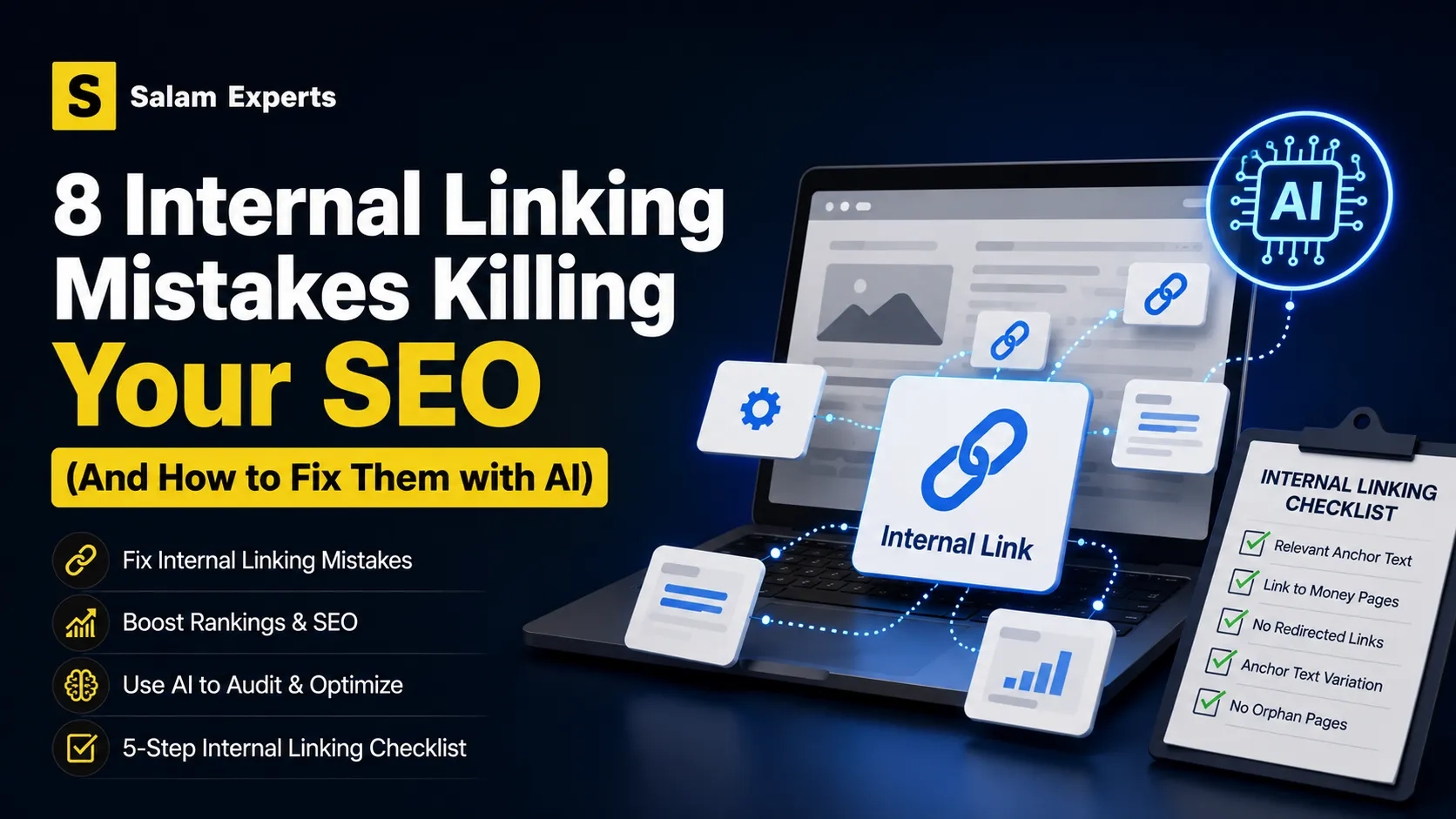
This guide walks through the 8 most common internal linking mistakes with real examples, then shows you how to use AI properly to audit and fix them on your own site.
- What You’ll Learn
- Mistake 1: Anchor Text Doesn’t Match the Destination’s Topic
- Mistake 2: Over-Using Exact-Match Anchor Text
- Mistake 3: Generic Anchor Text Wasting Link Equity
- Mistake 4: Linking from Weak Pages to Money Pages (Wrong Direction)
- Mistake 5: Orphan Pages with Zero Inbound Internal Links
- Mistake 6: Linking to Redirected URLs Instead of Final Canonical
- Mistake 7: Too Many Links from One Page (Equity Dilution)
- Mistake 8: Ignoring Link Placement Context
- How to Use AI to Audit Your Internal Links Properly
- 5-Step Checklist for Verifying Your Internal Linking
- Why This Matters
- Want Us to Audit Your Internal Linking?
- Related Reading
What You’ll Learn
- The 8 internal linking mistakes that quietly hurt rankings
- How to spot each one with examples and screenshots
- Why anchor text relevance matters more than keyword density
- How to use ChatGPT or Claude to audit your internal links
- A 5-step checklist for verifying internal linking is done correctly
Mistake 1: Anchor Text Doesn’t Match the Destination’s Topic
This is the single most common mistake, and it’s the most damaging because it sends mixed signals to Google about what each page is actually about.
What it looks like: Your homepage links to your services page using the anchor ‘learn more.’ Or worse — a blog post about email marketing links to your SEO services page using the anchor ‘read this guide.’ The destination URL is your SEO services page. The anchor text says ‘learn more.’ Google has no contextual signal that this link is about SEO services. The link still passes equity — but it doesn’t reinforce topical relevance.
Real example
// Bad
<a href="/services/technical-seo-agency/">click here</a>

// Good
<a href="/services/technical-seo-agency/">technical SEO services</a>
The fix: every internal link’s anchor text should describe what the destination page is about. If the anchor and the destination’s primary keyword don’t share thematic overlap, rewrite the anchor.
Mistake 2: Over-Using Exact-Match Anchor Text
The opposite extreme. If every internal link to your ‘WordPress SEO services’ page uses the anchor ‘WordPress SEO services,’ Google starts to see it as manipulative — the same way it views over-optimized backlink anchors.
What it looks like: 10 different blog posts all linking to /services/wordpress-seo-services/ with the exact anchor ‘WordPress SEO services.’ No variation. No natural language.
How to fix it
Vary your anchors while keeping topical relevance. For a WordPress SEO services page, healthy anchor variation might look like:
- “WordPress SEO services” (exact match — use sparingly)
- “WordPress SEO” (partial match)
- “our WordPress optimization service” (descriptive)
- “hire a WordPress SEO expert” (intent-based)
- “see how we optimize WordPress sites” (action-based)
Roughly 20–30% exact match, the rest distributed across partial, descriptive, and natural language anchors.
Mistake 3: Generic Anchor Text Wasting Link Equity
“Click here.” “Read more.” “This article.” “Learn more.” These anchors are everywhere, and every one of them is a wasted opportunity.
Internal links don’t just route users — they signal to search engines what the destination is about. Generic anchors carry zero topical signal. The link still flows authority, but it teaches Google nothing.
Quick audit you can do right now
Open your homepage. Count how many links use ‘learn more,’ ‘click here,’ ‘read more,’ or similar generic phrases. If it’s more than 2–3, you have this mistake at scale. The same audit on your top 10 pages will usually surface dozens of opportunities.
Exception: It’s fine to have a few generic anchors for UX clarity (a ‘Read more →’ button below a blog post snippet, for example). The problem is when generic anchors are the default rather than the exception.
Mistake 4: Linking from Weak Pages to Money Pages (Wrong Direction)
Internal link equity flows from the linking page to the linked page. If your highest-authority pages don’t link to your money pages, those money pages aren’t getting the boost they need.
What it looks like: Your homepage and top-ranking blog post both have plenty of authority. Your conversion-focused service page is buried 4 clicks deep with no inbound links from those high-authority pages. The service page never gets the equity it needs to rank.
How to identify it
Cross-reference Google Search Console data with your internal link map. Pages with high impressions but low click-through often have an internal linking problem — they’re not being supported by stronger pages on your site. The AI internal linking guide for WordPress has more on diagnosing this.
The fix: identify your top 5 most-visited or highest-authority pages, then add contextual links from them to the money pages they relate to. Don’t just stuff links in — the link has to make editorial sense.
Mistake 5: Orphan Pages with Zero Inbound Internal Links
An orphan page is a page with no internal links pointing to it. Search engines can technically reach it through your sitemap, but they don’t see it as important — because no other page on your site treats it as important.
Orphan pages happen most often in three places:
- Old landing pages from past campaigns nobody linked back to
- New blog posts published without updating older posts to link to them
- Product or service pages added after the navigation was finalized
How to find them
Run a Screaming Frog crawl with the ‘Crawl Analysis’ enabled. Compare the crawl list against your sitemap. URLs in the sitemap but not in the crawl are orphans. Or use Ahrefs Site Audit, which has a built-in ‘orphan pages’ report.
Mistake 6: Linking to Redirected URLs Instead of Final Canonical
This is silent and almost invisible. You link to /blog/old-post/, which 301-redirects to /blog/new-post/. Users land on the right page eventually, but every redirect hop loses a small amount of equity, and Google has to do more crawling work.
Example: You moved a blog post from /blog/seo-tips/ to /blog/seo-tips-2026/ and set up the redirect. Six months later, 40 internal links across your site still point at the old URL, redirecting on every visit.
The fix is mechanical: run a crawl, identify any internal links that hit a redirect, update them to point at the final canonical URL. Most of this can be done with a database find-and-replace if you’re on WordPress. See our redirect issues guide for more.
Mistake 7: Too Many Links from One Page (Equity Dilution)
Each page has a finite amount of authority to distribute. If your homepage has 200 internal links, each one passes a small fraction of equity. If it has 30 well-chosen links, each one passes meaningful equity.
This is why navigation menus and footers — which often link to dozens of pages — pass less equity per link than contextual in-content links. Google’s crawler treats them differently.
Practical guide: On editorial pages (blog posts, articles), aim for 3–8 contextual internal links per 1,000 words. On homepages and category pages, prioritize linking to the 5–10 pages you want to rank most. Anything more dilutes the value.
Mistake 8: Ignoring Link Placement Context
Not all link positions are equal. Google has confirmed and SEOs have measured: a link in the first paragraph of body content carries more weight than the same link in a sidebar or footer.
Hierarchy of link value (rough ordering)
- Strongest: In-content contextual links in the first half of the page body
- Strong: Editorial links anywhere in body content
- Moderate: Related-content modules, breadcrumbs, navigation menus
- Weakest: Footer links, sidebar widgets, repeated boilerplate
If your most important internal links are all in the footer, you’re under-leveraging them. Move at least some into contextual body content where they’ll do more work.
How to Use AI to Audit Your Internal Links Properly
Most ‘AI for internal linking’ content promotes tools that auto-generate links based on keyword matches. That approach makes Mistake 1 (anchor-text-to-destination mismatch) worse, not better.
Used correctly, AI is a force multiplier for the manual judgment that good internal linking requires. Here’s how to use it.
Use 1: Auditing existing anchor text quality
Export your internal links from Screaming Frog or Ahrefs (anchor + destination URL pairs). Feed batches to Claude or ChatGPT with this prompt:
I’ll give you a list of internal links from my website. For each one, tell me whether the anchor text accurately describes what the destination page is likely about. Flag any mismatches or generic anchors as ‘NEEDS FIX’ and suggest a better anchor. Format: anchor | destination URL | verdict | suggested fix
This catches the mismatches you’d miss reviewing one link at a time. AI is fast at pattern-matching across hundreds of rows.
Use 2: Suggesting anchor text variations
For each money page, ask AI to generate 10–15 anchor text variations that maintain topical relevance but vary the wording. Then distribute those across your site as you build new internal links.
Generate 15 anchor text variations for a page targeting the keyword ‘technical SEO services.’ Mix exact match, partial match, descriptive, and intent-based phrasing. Each anchor should be natural to drop into body content.
Use 3: Identifying topical clusters that should be linked
Give AI your sitemap or a list of all your blog post titles. Ask it to group them into topical clusters and identify which posts within each cluster should link to each other. This surfaces missed linking opportunities at scale.
Use 4: Cross-referencing GSC data with internal links
Export your top 100 pages by impressions from Google Search Console. Cross-reference with your internal link map. Pages with high impressions but few inbound internal links are under-supported. AI can do this comparison in seconds where doing it manually takes hours.
Important caveat: AI suggestions are starting points, not final answers. Review every recommendation before implementing — AI doesn’t know which of your pages is the ‘preferred’ canonical when two pages compete for similar terms, and it won’t catch business-context nuances. Use it for scale, not for judgment.
5-Step Checklist for Verifying Your Internal Linking
After fixing the mistakes above, run through this checklist before considering the work done.
- Every anchor text describes what the destination page is about — no ‘click here,’ no ‘learn more’ as defaults.
- No money page has fewer than 5 contextual inbound internal links from relevant content.
- No internal link points at a redirected URL — every link goes to the final canonical.
- No more than 30% of links to any single destination use the same exact-match anchor.
- Zero orphan pages — every published page has at least one inbound internal link.
Why This Matters
Internal linking is one of the few SEO levers you fully control. You don’t need backlinks, you don’t need new content, you don’t need approval from Google. It’s just decisions about how your existing pages reference each other.
Sites that get this right see ranking improvements within 4–8 weeks of cleanup, often without any new content or backlinks.
The expert roundup we recently published includes a case where From a real audit: Reorganizing internal linking architecture for a B2B SaaS client lifted organic sessions from 14,200 to 31,850 within 16 weeks — with no new external backlinks. 340 keywords improved by an average of 4.2 positions. The work was almost entirely internal link cleanup.
Source: 20 overlooked technical SEO issues that significantly impact rankings.
Want Us to Audit Your Internal Linking?
Internal linking is part of every audit we do. Our $500 SEO audit reviews your full internal linking structure (along with technical, on-page, backlink, and competitor analysis) and gives you a prioritized fix list.
→ Book your SEO audit or Talk to us about a full technical SEO engagement
Related Reading
- AI-powered internal linking for WordPress — WordPress-specific implementation
- AI tools for internal linking compared — when each tool helps and when it hurts
- 20 overlooked technical SEO issues — expert roundup with internal linking cases
- Heading tags SEO best practices — the H1/H2 mistakes that compound internal linking issues
- Technical SEO issues checklist — broader audit framework